
FW 07.00.00/HAFM SW 08.06.00 McDATA Intrepid 6064 Director Installation and Service Manual (620-000108-920, April 2005)

4
4-78
Intrepid® 6064 Director Installation and Service Manual
Repair Information
2. At the management server, open the SAN management
application (SANavigator or EFCM).
3. Set the director offline (Set the Director Online or Offline on
page 4-43).
4. At the SAN management application physical map, right-click
the product icon representing the director for which a
configuration file is to be reset to factory defaults, then select
Element Manager from the pop-up menu. The application opens.
5. Select the Reset Configuration option from the Maintenance menu.
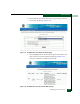
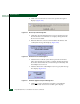
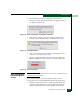
The Reset Configuration dialog box displays (Figure 4-67).
Figure 4-67 Reset Configuration Dialog Box
6. Click Reset to initiate the reset and close the dialog box.
7. The director IP address resets to the default address of 10.1.1.10.
— If the configured IP address (prior to reset) was the same as
the default address, the director-to-management server
Ethernet link is not affected and the procedure is complete.
— If the configured IP address (prior to reset) was not the same
as the default address, the director-to-management server
Ethernet link drops and management server communication is
lost. Continue to the next step.
8. To change the director IP address and restart the management
server session, go to step 10.
9. To restart a management server session using the default IP
address of 10.1.1.10:
a. Close the Intrepid 6064 Element Manager application and
return to the SAN management application.
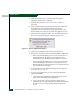
b. A grey square with a yellow exclamation mark appears
adjacent to the icon representing the reset director, indicating
the director is not communicating with the management
server.