
FW 07.00.00/HAFM SW 08.06.00 McDATA Intrepid 6064 Director Installation and Service Manual (620-000108-920, April 2005)

4
4-80
Intrepid® 6064 Director Installation and Service Manual
Repair Information
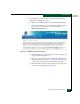
e. Type 10.1.1.10 in the IP Address field and click OK. Entries at
the Discover Setup dialog box reflect the new IP address.
f. At the Discover Setup dialog box, click OK. Director-to-
management server communication is restored and the
procedure is complete.
10. Change the director IP address and restart the management
server session as follows:
a. A grey square with a yellow exclamation mark appears
adjacent to the icon representing the reset director, indicating
director is not communicating with the management server.
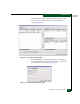
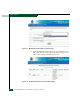
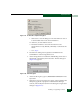
a. Delete the icon representing the reset director. At the SAN
management application, select the Setup option from the
Discover menu. The Discover Setup dialog box displays
(Figure 4-68).
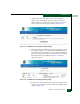
b. Select (highlight) the entry representing the reset director in
the Available Addresses window and click Remove.
c. At the Discover Setup dialog box, click OK. The director is no
longer defined to the management server.
d. Change a director IP address through the maintenance port
(Task 4: Configure Director Network Information on page 2-15).
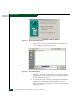
e. Identify the switch to the SAN management application (Ta s k
7: Configure Director to the SAN Management Application on
page 2-39).
f. Director-to-management server communication is restored
and the procedure is complete.
Reset Configuration
Data (SANpilot
Interface)
To reset director data to the factory default settings from the
SANpilot interface:
NOTE: When director configuration data is reset to factory default values, all
optional features are disabled.
1. Notify the customer the director will be set offline. Ensure the
customer system administrator quiesces Fibre Channel frame
traffic through the director and sets attached devices offline.
2. Set the director offline (Set the Director Online or Offline on
page 4-43).