
FW 07.00.00/HAFM SW 08.06.00 McDATA Intrepid 6064 Director Installation and Service Manual (620-000108-920, April 2005)

4
4-82
Intrepid® 6064 Director Installation and Service Manual
Repair Information
— If the configured IP address (prior to reset) was not the same
as the default address, the browser-to-director Internet
connection drops and the SANpilot session is lost. Continue to
the next step.
8. To change the director IP address and restart the SANpilot
interface, see Task 4: Configure Director Network Information on
page 2-15. To restart the SANpilot interface using the default IP
address of 10.1.1.10:
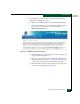
a. At the browser, enter the default IP address of 10.1.1.10 as the
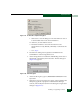
Internet URL. The Enter Network Password dialog box displays.
b. Type the default user name and password.
NOTE: The default user name is Administrator and the default
password is password. The user name and password are
case-sensitive.
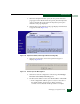
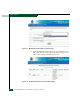
c. Click OK. The SANpilot interface opens with the View panel
open and the Switch page displayed. The procedure is
complete.
Installing or Upgrading Software
This section describes the procedure to install or upgrade the SAN
management application at the management server. The application
includes the Intrepid 6064 Element Manager application.
The SAN management application shipped with the director is
provided on the EFC Management Applications CD-ROM. Subsequent
software versions for upgrading the director are provided to
customers through an EFC Management Applications CD-ROM or
through the McDATA website.
NOTE: When installing or upgrading a software version, follow all
procedural information in release notes or EC instructions that accompany
the software version. This information supplements information provided in
this general procedure.
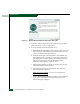
To install or upgrade the SAN management application and
associated applications to the server:
1. At the management server, close all SAN management sessions
(local and remote) and exit all applications.