
FW 07.00.00/HAFM SW 08.06.00 McDATA Intrepid 6064 Director Installation and Service Manual (620-000108-920, April 2005)


4
Installing or Upgrading Software
4-87
Repair Information
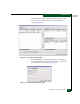
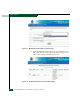
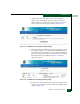
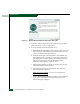
Figure 4-79 Download Complete Dialog Box
l. Click Close to close the dialog box. The new firmware version
is downloaded and saved to the PC hard drive.
m. At the PC, close the Internet session.
n. Transfer the firmware version file from the PC to the
management server by diskette, CD-ROM, or other electronic
means.
o. Go to step 5.
4. Insert the EFC Management Applications CD-ROM into the
CD-ROM drive of the management server.
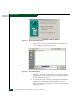
5. At the management server Windows 2000 desktop, click Start at
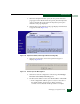
the left side of the task bar, then select Run. The Run dialog box
(Figure 4-80) appears.
Figure 4-80 Run Dialog Box
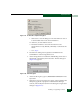
6. At the Run dialog box, type D:\mcdataServerInstall in the
Open field.
7. Click OK. A series of message boxes appear as the InstallAnywhere
third-party application prepares to install the EFC Manager
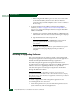
software, followed by the McDATA EFC Management Applications
dialog box (Figure 4-81).