
FW 07.00.00/HAFM SW 08.06.00 McDATA Intrepid 6064 Director Installation and Service Manual (620-000108-920, April 2005)

4
4-88
Intrepid® 6064 Director Installation and Service Manual
Repair Information
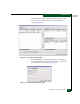
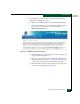
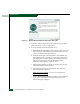
Figure 4-81 McDATA EFC Management Applications Dialog Box
8. Follow the online instructions for the InstallAnywhere program.
Click Next, Install, or Done as appropriate.
9. Power off and reboot the management server.
a. At the Windows 2000 desktop, click Start at the left side of the
task bar (bottom of the desktop), then select Shut Down. The
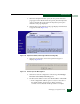
Shut Down Windows dialog box displays.
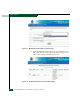
b. Select the Restart option from the list box and click OK. The
management server powers down and restarts. During the
reboot the LAN connection between the management server
and browser-capable PC drops momentarily, and the
TightVNC viewer displays a network error.
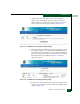
c. After the management server reboots, click Login again. The
VNC Authentication screen displays.
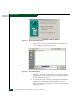
d. Type the default password and click OK. The Welcome to
Windows dialog box displays.
NOTE: The default TightVNC viewer password is password.
e. Click the Send Ctrl-Alt-Del button at the top of the window to
log on to the management server desktop. The Log On to
Windows dialog box displays.