
FW 07.00.00/HAFM SW 08.06.00 McDATA Intrepid 6064 Director Installation and Service Manual (620-000108-920, April 2005)


2
Installation Options
2-3
Installation Tasks
Installation Options
NOTE: The screens in this manual may not match the screens on your server
and workstation. The title bars have been removed and the fields may
contain data that does not match the data seen on your system.
The director is installed in one of the following configurations:
• Fabricenter equipment cabinet - Up to four directors, a
rack-mount management server, and an Ethernet hub are
delivered (cabled and installed) in a McDATA equipment cabinet.
Ethernet cabling, distance, and local area network (LAN)
addressing issues must only be considered if multiple cabinets are
daisy-chained.
• Customer-supplied equipment rack - One or more directors, an
optional management server, and an optional Ethernet hub are
delivered to the customer facility for installation in a
customer-supplied equipment rack. Rack mount flanges and
hardware are provided in the shipping container. Ethernet
cabling, distance, and LAN addressing issues must be considered.
• Table or desktop - One or more directors, an optional
management server, and an optional Ethernet hub are delivered
and installed at the customer facility on a table or desktop.
Ethernet cabling, distance, and local area network (LAN)
addressing issues must be considered.
Summary of Installation Tasks
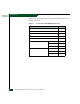
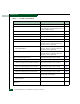
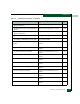
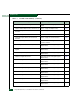
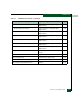
Table 2-3 summarizes installation tasks for the director, optional
management server, and optional Ethernet hub. The table describes
each task, states if the task is required or optional, and lists the page
reference.