
FW 07.00.00/HAFM SW 08.06.00 McDATA Intrepid 6064 Director Installation and Service Manual (620-000108-920, April 2005)


2
Task 2: Install the Ethernet Hub
2-9
Installation Tasks
Task 2: Install the Ethernet Hub
This task provides the instructions to unpack and inspect one or more
Ethernet hubs and install the hubs on a desktop or in a rack-mount
configuration.
NOTE: If the hub is delivered (with the director and management server) as
part of a McDATA FC-512 Fabricenter equipment cabinet, go to Task 7:
Configure Director to the SAN Management Application on page 2-39.
Unpack and inspect the Ethernet hub(s).
1. Inspect shipping container(s) for damage caused during transit. If
a container is damaged, ensure a representative from the freight
carrier is present when the container is opened.
2. Unpack shipping container(s) and inspect each item for damage.
Ensure the packaged items correspond to the items listed on the
enclosed bill of materials.
3. If any items are damaged or missing, contact the McDATA
Solution Center:
Phone: (800) 752-4572 or (720) 566-3910
Fax: (720) 566-3851
E-mail: support@mcdata.com
Perform the following steps to install and configure up to three
Ethernet hubs in a Fabricenter equipment cabinet or a customer-
supplied 19-inch equipment rack. A pointed instrument (pencil tip or
bent paper clip), #2 Phillips screwdriver, and 1/8-inch Allen wrench
are required.
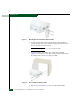
1. Secure one mounting bracket to each side of the first hub
(Figure 2-1). Use the two brackets and four pan-head Phillips
screws (8/32 x 0.5-inch) provided.