
FW 07.00.00/HAFM SW 08.06.00 McDATA Intrepid 6064 Director Installation and Service Manual (620-000108-920, April 2005)


2
Task 4: Configure Director Network Information
2-17
Installation Tasks
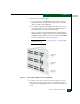
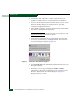
Figure 2-6 COMn Properties Dialog Box
8. Configure the Port Settings parameters.
— Bits per second - 57600.
—Data bits - 8.
— Parity - None.
—Stop bits - 1.
— Flow control - Hardware or None.
When the parameters are set, click OK. The Intrepid 6064 -
HyperTerminal dialog box displays.
9. At the > prompt, type the user-level password (the default is
password) and press Enter. The password is case sensitive. The
Intrepid 6064 - HyperTerminal dialog box displays with software
and hardware version information for the director, and a C>
prompt at the bottom of the window.
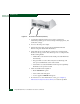
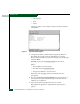
10. At the C> prompt, type ipconfig and press Enter. The Intrepid
6064 - HyperTerminal dialog box (Figure 2-7) displays with
configuration information listed.
— MAC Address.
— IP Address (default is 10.1.1.10).
— Subnet Mask (default is 255.0.0.0).
— Gateway Address (default is 0.0.0.0).