
FW 07.00.00/HAFM SW 08.06.00 McDATA Intrepid 6064 Director Installation and Service Manual (620-000108-920, April 2005)

2
2-22
Intrepid® 6064 Director Installation and Service Manual
Installation Tasks
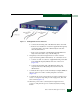
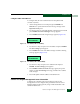
— The green liquid crystal display (LCD) panel illuminates.
— The green hard disk drive (HDD) LED blinks momentarily,
and processor speed and random-access memory information
display momentarily at the LCD panel.
— The server performs the boot sequence from the basic
input/output system (BIOS). During the boot sequence, the
server performs additional POSTs and displays the following
information at the LCD panel:
•Host name.
• System date and time.
• LAN 1 and LAN 2 IP addresses.
• Fan 1, fan 2, fan 3, and fan 4 rotational speed.
• Central processing unit (CPU) temperature.
• Hard disk capacity.
• Virtual and physical memory capacity.
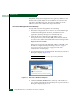
11. After successful POST completion, the LCD panel displays a
Welcome!! message, then continuously cycles through and
displays server operational information.
12. If a POST error or other malfunction occurs, go to Chapter 3,
Maintenance Analysis Procedures (MAPS) to isolate the problem.
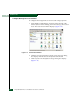
13. Press the left edge (PUSH label) of the LCD panel to disengage
the panel and expose the CD-RW drive.
14. Insert a blank rewritable CD into the CD-RW drive and close the
LCD panel.