
FW 07.00.00/HAFM SW 08.06.00 McDATA Intrepid 6064 Director Installation and Service Manual (620-000108-920, April 2005)

2
Task 6: Configure the Management Server
2-23
Installation Tasks
Task 6: Configure the Management Server
Subtask A: Configure Password and Network Addresses
Verify the type of LAN installation with the customer network
administrator.
• If the management server or Fabricenter equipment cabinet is
installed on a dedicated LAN, network information does not
require change. Change the default password for the server LCD
panel (if required by the customer), then go to Subtask B: Configure
Management Server Information on page 2-25.
• If the management server or Fabricenter equipment cabinet is
installed on a public LAN segment, the default password for the
server LCD panel and the transmission control protocol internet
protocol (TCP/IP) network information (IP address and subnet
mask) must be changed to conform to the customer LAN
addressing plan.
NOTE: At some customer installations, TCP/IP addresses for the
management server may be allocated automatically using dynamic host
configuration protocol (DHCP).
Configure Password
To configure a new LCD panel password:
1. At the management server LCD panel, press ENTER. The
Welcome!! or operational information message changes to the
Input Password panel.
2. Use the arrow keys to input the default password (9999) and
press ENTER. The LAN 1 Setting?? message appears.
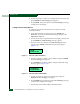
3. Press the down-arrow button several times until the Change
Password? option appears and press ENTER. The following
message appears (Figure 2-10).
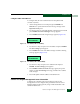
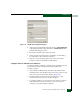
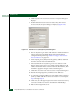
Figure 2-10 LCD Panel (New Password)
New Password:
0****