
FW 07.00.00/HAFM SW 08.06.00 McDATA Intrepid 6064 Director Installation and Service Manual (620-000108-920, April 2005)

2
2-24
Intrepid® 6064 Director Installation and Service Manual
Installation Tasks
4. Use the arrow keys to input a new 4-digit numeric password and
press ENTER. The Save Change panel appears.
5. Press ENTER. The panel returns to the LAN 1 Setting?? message
and the password changes.
Configure Private LAN Addresses
To configure TCP/IP network information for the private LAN
connection (LAN 2):
1. At the management server LCD panel, press ENTER. The
Welcome!! or operational information message changes to the
Input Password panel.
2. Use the arrow keys to input the default or changed password and
press ENTER. The LAN 1 Setting?? message appears.
3. Press the down-arrow button. The LAN 2 Setting?? message
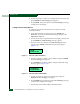
appears. Press ENTER and the following message appears
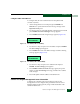
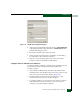
(Figure 2-11).
Figure 2-11 LCD Panel (LAN 2 IP Address)
4. Use the arrow keys to input a new IP address and press ENTER.
The Save Change panel appears.
5. Press ENTER. The LAN 2 IP address changes and the following
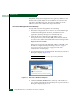
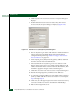
message appears (Figure 2-12).
Figure 2-12 LCD Panel (LAN 2 Subnet Mask)
6. Use the arrow keys to input a new subnet mask and press
ENTER. The Save Change panel appears.
7. Press ENTER. The panel returns to the LAN 1 Setting?? message
and the LAN 2 subnet mask changes.
8. Record the private LAN IP address and subnet mask.
Input IP:
010.001.001.001
Input Netmask:
255.000.000.000