
FW 07.00.00/HAFM SW 08.06.00 McDATA Intrepid 6064 Director Installation and Service Manual (620-000108-920, April 2005)

2
Task 6: Configure the Management Server
2-27
Installation Tasks
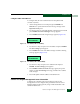
NOTE: Do not simultaneously press Ctrl, Alt, and Delete. This action
logs the user on to the PC, not the management server.
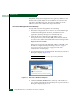
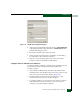
Figure 2-16 Log On to Windows Dialog Box
5. Type the default Windows 2000 user name and password and
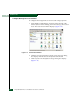
click OK. The management server Windows 2000 desktop opens
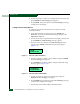
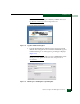
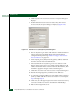
and the EFCM Log In or SANavigator Log In dialog box displays
(Figure 2-17).
NOTE: The default Windows 2000 user name is Administrator and the
default password is password. The user name and password are
case-sensitive.
Figure 2-17 EFCM Log In or SANavigator Log In Dialog Box