
FW 07.00.00/HAFM SW 08.06.00 McDATA Intrepid 6064 Director Installation and Service Manual (620-000108-920, April 2005)


2
Task 6: Configure the Management Server
2-31
Installation Tasks
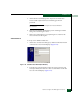
a. At the Windows 2000 desktop, click Start at the left side of the
task bar (bottom of the desktop), then select Shut down. The
Shut Down Windows dialog box appears.
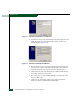
b. At the Shut Down Windows dialog box, select the Restart option
and click OK to reboot the server.
c. Perform Access the Management Server Desktop on page 2-26.
Subtask C: Configure Windows 2000 Users
Configure password access for all authorized Windows 2000 users of
the management server. It is also recommended to change the default
administrator password. To configure users:
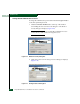
1. At the Windows 2000 desktop, click Start at the left side of the
task bar (bottom of the desktop), then select Settings, then Control
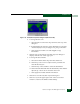
Panel. The Control Panel window displays (Figure 2-18).
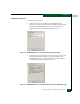
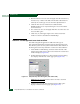
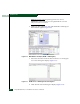
2. Double-click the Users and Passwords icon. The Users and
Passwords dialog box displays (Figure 2-21).
3. The Guest user name is a built-in account in the Windows 2000
operating system and cannot be deleted. The srvacc account is for
field service users and must not be modified or deleted.
Figure 2-21 Users and Passwords Dialog Box