
FW 07.00.00/HAFM SW 08.06.00 McDATA Intrepid 6064 Director Installation and Service Manual (620-000108-920, April 2005)


2
2-32
Intrepid® 6064 Director Installation and Service Manual
Installation Tasks
Change Default Administrator Password
To change the administrator password from the default (password) to
a customer-specified password:
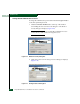
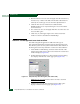
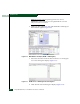
1. Click the Send Ctrl-Alt-Del button at the top of the window
surrounding the Users and Passwords dialog box. The Windows
Security dialog box displays (Figure 2-22).
NOTE: Do not simultaneously press Ctrl, Alt, and Delete. This action
controls the PC, not the rack-mount management server.
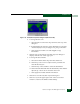
Figure 2-22 Windows Security Dialog Box
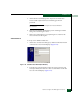
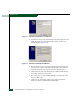
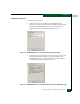
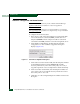
2. Click Change Password. The Change Password dialog box displays
(Figure 2-23).
Figure 2-23 Change Password Dialog Box