
FW 07.00.00/HAFM SW 08.06.00 McDATA Intrepid 6064 Director Installation and Service Manual (620-000108-920, April 2005)


2
Task 6: Configure the Management Server
2-35
Installation Tasks
Change User Properties
To change user properties:
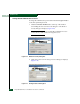
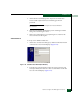
1. At the Users and Passwords dialog box, highlight the user
(srvacc, for example) at the Users for this computer field and click
Properties. The MGMTSERVER\srvacc Properties dialog box
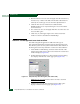
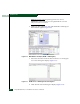
displays with the General tab selected (Figure 2-27).
Figure 2-27 MGMTSERVER\srvacc Properties Dialog Box (General Tab)
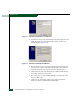
2. Type the new user information in the User name, Full name, and
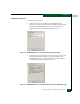
Description fields, then click the Group Membership tab. The
MGMTSERVER\srvacc Properties dialog box displays with the
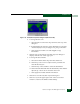
Group Membership tab selected (Figure 2-28).
Figure 2-28 MGMTSERVER\srvacc Properties Dialog Box (Group Membership Tab)