
FW 07.00.00/HAFM SW 08.06.00 McDATA Intrepid 6064 Director Installation and Service Manual (620-000108-920, April 2005)



2
Task 6: Configure the Management Server
2-37
Installation Tasks
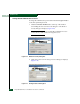
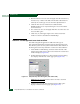
Figure 2-30 Date/Time Properties Dialog Box (Time Zone Tab)
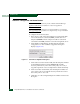
4. To change the time zone:
a. Select the time zone from the drop-down list at the top of the
dialog box.
b. If instructed by the customer system administrator, select the
Automatically adjust clock for daylight saving changes check box.
c. Click Apply. Record time zone and daylight savings
information.
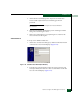
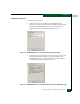
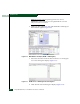
5. Click the Date & Time tab. The Date/Time Properties dialog box
displays with the Date & Time page open.
6. To change the date and time:
a. Select the month from the drop-down list under Date.
b. Click the up or down arrow adjacent to the year field and
select the desired year.
c. Click the day on the calendar to select the desired date.
d. Click in the time field and enter the desired time, then click the
adjacent up or down arrow and select AM or PM.
e. Click Apply. Record date and time information.
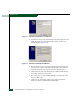
7. Click OK to close the Date/Time Properties dialog box.
8. Click close (X) at the upper right corner of the Control Panel
window to return to the Windows 2000 desktop.