
FW 07.00.00/HAFM SW 08.06.00 McDATA Intrepid 6064 Director Installation and Service Manual (620-000108-920, April 2005)

2
2-42
Intrepid® 6064 Director Installation and Service Manual
Installation Tasks
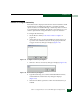
10. When finished, click OK at the EFCM Server or SANavigator Server
Users dialog box to return to the EFCM or SANavigator main
window.
Subtask B: Identify the Director to the SAN Management Application
To manage a new director, it must be identified to and discovered by
the SAN management application. To identify the new director:
1. At the SAN management application (EFCM or SANavigator
main window), select the Setup option from the Discover menu.
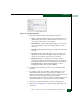
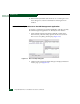
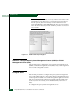
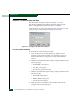
The Discover Setup dialog box displays (Figure 2-35).
Figure 2-35 Discover Setup Dialog Box
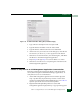
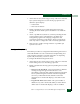
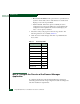
2. Click Add. The Domain Information dialog box displays with the IP
Address page open (Figure 2-36).