
FW 07.00.00/HAFM SW 08.06.00 McDATA Intrepid 6064 Director Installation and Service Manual (620-000108-920, April 2005)

2
Task 7: Configure Director to the SAN Management Application
2-47
Installation Tasks
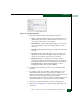
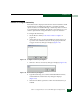
1. At the Hardware View, click Configure at top of the view and select
Open Systems Management Server from the pop-up menu. Two
submenu options display:
— Enable OSMS.
— Host Control Prohibited.
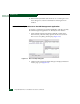
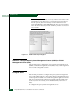
2. Enable or disable the open systems management server by
selecting the Enable OSMS option. Check the box to enable the
server.
3. Allow or prohibit host (OSI server) control by selecting the Host
Control Prohibited option. Check the box to prohibit a host
management program from changing configuration and
connectivity parameters on the director. The host program has
read-only access to configuration and connectivity parameters.
4. Click Activate to enable a change and allow or prohibit open
systems host control.
Configure FMS (FICON)
Perform this procedure to configure the FICON management server
and enable FICON host control of the director. Implementing host
control requires installation of System Automation for Operating
System/390 (SA OS/390), version 1.2 or later.
To configure the FICON management server:
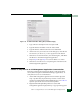
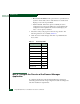
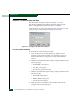
1. At the Hardware View, click Configure at top of the view and select
FICON Management Server from the pop-up menu.
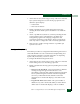
2. Enable or disable the following options by clicking the associated
check box:
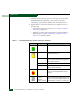
— Director Clock Alert Mode - This option enables or disables a
warning message that appears if the director is set to
periodically synchronize date and time with the management
server. Synchronizing date and time with the management
server may conflict with the date and time set from the
attached host. If a check mark displays, clock alert mode is
enabled.
— Programmed offline state control - This option enables or
disables host (S/390 or zSeries 900) ability to set the director
offline state. If a check mark displays, control is enabled.