
HSG80 ACS Solution Software V8.6 for Compaq OpenVMS Installation and Configuration Guide
5–8 HSG80 ACS Solution Software Version 8.6 for Compaq OpenVMS Installation and Configuration Guide
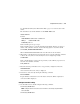
The following sample is a result of a
SHOW THIS command, with the areas of interest in
bold.
Controller:
HSG80 (C) DEC ZG09030200 Software V8.6F, Hardware 0000
NODE_ID = 5000-1FE1-0000-0000
ALLOCATION_CLASS = 1
SCSI_VERSION = SCSI-3
Not configured for dual-redundancy
Device Port SCSI address 7
Time: 10-Mar-1999:12:30:34
Command Console LUN is lun 0
(IDENTIFIER = 88)
Host PORT_1:
Reported PORT_ID = 5000-1FE1-0000-0001
PORT_1_TOPOLOGY = FABRIC (fabric up)
Address = 210313
Host PORT_2:
Reported PORT_ID = 5000-1FE1-0000-0002
PORT_2_TOPOLOGY = FABRIC (fabric up)
Address = 210513
NOREMOTE_COPY
.......
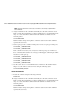
15. Turn on the switches, if not done previously.
If you want to communicate with the Fibre Channel switches through Telnet, set an IP
address for each switch. See the manuals that came with the switches for details.
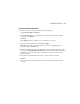
Plug in the FC Cable and Verify Connections
16. Plug the Fibre Channel cable from the first host bus adapter into the switch. Enter the
SHOW CONNECTIONS command to view the connection table:
SHOW CONNECTIONS
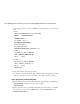
17. Rename the connections to something meaningful to the system and easy to remember.
For example, to assign the name ANGEL1A1 to connection !NEWCON01, enter:
RENAME !NEWCON01 ANGEL1A1