
ACC Installation and Configuration Guide




46 Chapter2
Software Installation and Verification
Installation Verification
If you intend to test a single port looped back on itself, it is convenient to
choose one of the predefined even-numbered ports, since the
configuration file provides the required clock mode. Alternatively, edit
the loopback.answ configuration file to reflect your needs. The .answ file
is generated with entries for an RS-232 panel, if youare using a different
panel type (e.g. RS-449, X.21, V.35), you must edit the loopback.answ and
set the port mode as appropriate for the specific card and panel t ype
combination.Notethatthe“Ext”clockingmayneedtobemodifiedto
“ExIn” for other panel types (see note above).
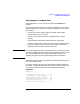
If either the .answ or .tmem file does not exist, or no longer reflects the
current location of the hardware, recreate this file and run ttgen on this
file:
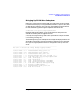
# cd /opt/acc/cfg
# /opt/acc/lbin/acc_bld_lpbk -o loopback.answ \
-t sample_header -p loopback
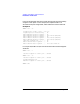
# /opt/acc/bin/ttgen -o loopback.answ loopback.tmem
Do not proceed until ttgen has been run successfully.
More information on using /opt/acc/lbin/acc_bld_lpbk,asample
loopback configuration file, and an example of running ttgen is shown in
the sections “Configuration Scripts” on page 83 and “Sample ttgen
Configuration File” on page 84 of Appendix A.