
ACC Installation and Configuration Guide



60 Chapter3
Protocol Configuration
Creating a Downloadable Firmware File
Creating a Downloadable Firmware File
NOTE The 8-channel NIO and EISA cards and the 2-channel NIO card have the
facility to build customised downloadable firmware files. This allows
protocol modules to be added or removed from the standard firmware
files. This section only applies to these ACC card types.
The ACC product protocol accessories provide one or more .zrel
relocatable proto col files. The protocolaccessory products may or may not
provide a pre-loaded .zabs absolute file.
A .zabs downloadable protocol file can contain one or more protocol
modules. All protocols used on the whole system can be loaded into one
downloadable file, but this is not a requirement. However, all protocols
used on any single mux must be in one downloadable file. The loopback
protocol should be included in all downloadable files .
If the protocol accessory product does not provide a .zabs file, or if you
want to create a .zabs file that contains a number of protocol modules,
you must perform the steps listed below. (Refer to the “ZLINK - Z80/Z180
Relocating Linker” chapter of the ACC Utilities Reference Guide for more
information on this process.)
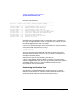
Step 1. Create a .zlnk file. The file /opt/acc/<card-type>/loopback.zlnk can be
used as a template.
The nam command parameter should be changed to reflect what is to be
contained in the new downloadable file.
The ma and ab commands should be changed to reflect the new names of
the map and downloadable files.
All of the protocol/*.zrel relocatable protocol files that are to b e included
should be referred to in re commands between the following two
comment lines:
********************* Protocol Modules *********************
****************** End of Protocol Modules ******************