
ACC Installation and Configuration Guide


68 Chapter4
Dual Interface Configurations
Affecting Port Mode
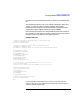
2. The port can then be reconfigured to the desired mode (i.e. Loopback,
RS232, E1RJ45, etc.).
NOTE AllZLUsonagivenportmustbedisabledbeforetheportmodecanbe
changed.
If the port is being taken out of Loopback mode, the ZLUs on that port
can now be brought up in the manner that is appropriate to the protocol
being used. For example, if the X.25 protocol is being used, the ZLU
corresponding to the Level 2 X.25 connection could now be brought up.
Refer to the ACC Utilities Reference Guide for details on using the zterm
utility. Refer to the ACC Programmer’s Reference Guide for more details
on using the zconfig() or zport() ZCOM functions to change the port
configuration.
The following is an example of using zterm to put an 8-Channel port into
loopback mode:
% zterm
11:04:47 ZCOM Interactive command utility
11:04:47 Primary ZLU is 802
ZTERM> cn,1,200,di
ZTERM> pt,5,6,2,3,0,32768
ZTERM> exit
%
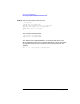
In this example, the port being put into loopback mode is port 6 on MUX
5. The ZLUs on that port are numbered 1 to 200.
The first command to ZTERM issues a control request to disable the
ZLUs on the port.
The next request is the ZPORT command. The parameter values 5 and 6
are the MUX and port number, respectively. The parameter value 2
indicatesthattheZPORTistobedoneusingtheinformationinthis
command. The parameter value 3 indicates that only the port mode is to
bemodified.Sincetheportmodeisintheuppertwobitsofthesecond
port configuration word, the first configuration word should be 0. To set
the mode as loopback mode, the upper bit of the second configuration
word must be set, i.e. the second configuration word parameter value is
set to 32768. (To set the mode as RS-232 mode, the upper two bits of the
second configuration word must be 0.)