
ACC Utilities Reference Guide

Chapter 6 153
ZSCAN - Display ZCOM Tables & Buffers
Running ZSCAN
Running ZSCAN
To run ZSCAN interactively from the shell prompt $ enter:
$ zscan
ZSCAN: ZCOM 6.2.0.0 System Memory Display Utility, Rev 2.0
Memory image file is of 32-bit kernel
zscan>
Whenstartedup,ZSCANdisplaystheversionofZCOMitexpectsandits
own software version. It opens the memory image file and shows whether
the file is from a 32-bit or 64-bit kernel. Note that the memory image file
is of the same layout for both 32/64-bit kernel. Except that the long and
pointer fields are interpreted differently. In 32-bit mode, the 32-bit long
and pointer fields are preceded with a 32-bit padding field (whose value
is ignored). In 64-bit mode, the whole 64-bit field contain a valid value.
The prompt zscan> indicates ZSCAN is ready to accept interactive
commands. If ZSCAN is run from an HP terminal (such as HP2392, or
700/92), or a window emulating an HP terminal, a command stack
facility is available to allow easy repetition of previously used commands ,
and editing of those commands for reuse.
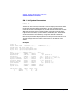
The command stack is displayed by entering / and ZSCAN will display
the list o f most recently used command on the screen. For example:
zscan> /
---Commands---
zl 100
??
qs
bf 0x5e89e0
ZSCAN positions the cursor a t the bottom of the list. Any of the
commands may be reused by positioning the cursor on the desired line
and pressing
<Return>. If the command needs to be changed before
reusing, then it can be modified on the screen before pressing
<Return>.