
ACC Utilities Reference Guide


168 Chapter6
ZSCAN - Display ZCOM Tables & Buffers
ZSCAN Available Commands
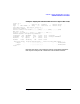
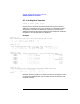
For the meaning of the queue header fields, see under the Queue H eader
subsection of the Tables and Data Structures section of the ACC
Programmer’s Reference Guide. Note t hat for FreeQ, the “Limit” value
actually shows the total number of buffers allocated to other queues.
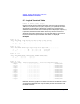
QS - Scan All Non-Empty Buffer Queues
Format: qs
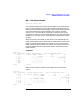
This command gives a detailed report of buffer distribution within all
buffer queues in the system. It goes through all legal ZCOM buffer queue
headers, and displays all queues that have messages. Since the scan is
interleaved with other ZCOM activities, the report may have minor
inconsistencies in a busy ZCOM system.
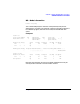
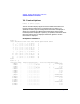
Example:
zscan> qs
Checking remote data queue (ZNODE queue) ...
** Remote node queue is empty **
Scanning program queues ...
Queue ZLU# N.Msg N.Bytes Head:Tail(hex)... Waits Total.Msg Max.M Limit......
0 FreeQ 2 3182128 00BF5B48:00BF5B48 2019 0 3M
3 1003 2 336 00BF5B70:00BF5C18 2 2 200M
Scanning logical terminal data queues ...
** All logical terminal data queues are empty **
Scanning physical terminal transmit queues ...
** All physical terminal data queues are empty **
Scanning interface table queues ...
** All interface table queues are empty **
Scanning response queues ...
** All response queues are empty **
Total: 4 3182464 (Total size = 3182504 bytes)
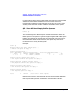
Note that the values i n the Head:Tail columns are the b uffer addresses
that may be used by the BF command to view the buffer contents.