
ACC Utilities Reference Guide


196 Chapter8
ZMON - ZCOM Control Program
ZMON Command Descriptions
ZMON Command Descriptions
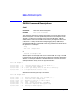
Cold
Function: Co ld start ZCOM subsystem
Format: zmon cold <filename>
The cold start command is used to initialize the run-time portion of the
ZCOM subsystem. The file specified by filename is the output file from
TTGEN. It contains an image of many of the ZCOM tables. ZMON
downloads this file to the ZCOM kernel memory through the device file
/dev/zmon. Usually the ZCOM message logging utility (ZMLOG) is
started before ZMON is scheduled so that any problems encountered can
be reported. For example:
zmlog
zmon cold example.tmem
or
zmasterd cold example.tmem
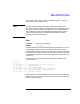
ZMON reports all messages and errors to the ZCOM error log. If ZCOM
is not starting correctly, browse the error log file for problems reported by
ZMON. For example if ZMON is scheduled with an incorrect file name
(example.t doesn’t exist), the error log would contain:
zmon cold example.t
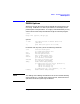
15:23:52 zmon 00002 Resource manager (Rev 1.32) for ZCOM 6.2.0.0
15:23:52 zmon 00003 Cold start with: example.t
15:23:52 zmon 00021 3 Can’t open memory file: No such file or directory
15:23:52 zmon 00001 3 Program aborted (location = 186)
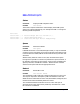
Whereas the following startup is successful:
zmon cold example.tmem
15:24:03 zmon 00002 Resource manager (Rev 1.32) for ZCOM 6.2.0.0
15:24:03 zmon 00003 Cold start with: example.tmem
15:24:03 zcom 00170 Buffer-Pool size set to 3186056 bytes.
15:24:05 zmon 00100 Card 0 starting up ...
15:24:13 zmon 00110 Card 0 startup successful, card READY
15:24:13 zmon 00020 Cold start completed, ZCOM system ready
15:24:13 zmon 00004 Waiting for ZMON requests ...