
HyperFabric Administrator's Guide (HP-UX 11i v1)


Managing HyperFabric
Starting HyperFabric
Chapter 5 127
Step 3. Select “HyperFabric”.
Step 4. Pull down the “Actions” menu and select Start HyperFabric. Note that
with a HP-UX 11.0 operating system, if HyperFabric is already running,
Start HyperFabric is grayed out and cannot be selected. With HP-UX
11i v1, if HyperFabric is already running, Start HyperFabric is not
grayed out. With HP-UX 11i v1, the newly added adapter can be
configured and started (using OLA), without doing a clic_shutdown or a
clic_start on the node.
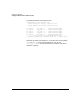
When HyperFabric starts, a confirmation message displays. Also, the
status “HyperFabric: Running” is displayed above the adapter
configuration area of the screen.
Step 5. Exit SAM.