
HyperFabric Administrator's Guide (HP-UX 11i v1)

Troubleshooting HyperFabric
LED Colors and Their Meanings
Chapter 6164
❏ For the “Ethernet” port and LED on the switch:
✓ If the Ethernet port is not connected to the Ethernet network,
the LED is off.
✓ If the connection from the Ethernet port to the Ethernet network
is operational, the LED on the port shows as solid green.
✓ If data is flowing between the Ethernet port and the Ethernet
network, the LED shows as flashing green.
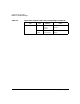
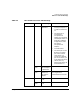
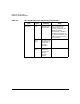
Table 6-3 below summarizes the HF1 switch LED information in a table
format.