
HyperFabric Administrator's Guide (HP-UX 11i v1)


Troubleshooting HyperFabric
LED Colors and Their Meanings
Chapter 6168
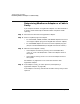
❏ For each port on the cards/switch module in the switch:
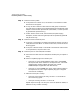
✓ If the port is not operational, the LED is off. Some of the possible
reasons for this happening are the following:
— A cable is not attached correctly to the port or no cable is
attached at all.
— The port is connected to a non-operational adapter in an
HP 9000. (See “Adapter LEDs” on page 159 or Table 6-2 on
page 161 for some tips about a non-operational adapter.)
— The cable is bad.
— The port is bad. Note that if a port is bad, and (for some
reason) you cannot use a different port on that card/switch
module, you can replace the card/switch module. Remember,
though, that the integrated 8-port fiber card can be removed
by qualified HP personnel only. The A6388A and A6389A
switch modules can be removed by you or qualified HP
personnel. However, you first should try turning the switch’s
power off and then back on.
✓ If the connection from the port to the corresponding adapter in
the HP 9000 is operational, the LED on the port shows as solid
green.
✓ If data is flowing between the port and the corresponding
adapter, the LED shows as flashing green. Note that data does
not start to flow until HyperFabric initialization has occurred
(see “Using the clic_init Command” on page 95).
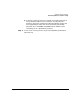
Note that a legend listing the possible port states—disconnected,
connected, and traffic—and the corresponding LED colors is printed
on the front of the switch, for your reference. See Figure 3-3 on
page 74 and Figure 3-4 on page 75, for the locations of the switch
LEDs and the legend.
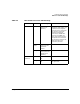
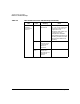
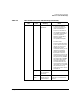
Table 6-4 below summarizes the HF2 switch LED information in a table
format.