
HyperFabric Configuration Guidelines

HyperFabric Configuration Guidelines
Hyper Messaging Protocol (HMP)
27
For more detailed information on HyperFabric diagnostics, see
Installing and Administering HyperFabric Part Number
B6257-90030 Edition E0601, HyperFabric Administrator’s Guide
Part Number B6257-90039 and HyperFabric Administrator’s Guide
Part Number B6257-90042.
Configuration Parameters
This section discusses the maximum limits for HMP HyperFabric
configurations. There are numerous variables that can impact the
performance of any particular HyperFabric configuration. For more
information on specific HyperFabric configurations for HMP
applications, see “HMP Supported Configurations” on page 33.
• HyperFabric is only supported on the HP 9000 series servers, UNIX
servers and workstations.
• HMP is supported on the HF2 adapter, A6386A only.
• The local failover configuration on HMP is supported only on the
A6386A HF2 adapters.
• Although HMP works with A6092A HF1 (copper) adapters, the
performance advantages HMP offers will not be completely realized
unless it is used with A6386A HF2 (fiber) adapters and related fiber
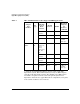
hardware. See Table 7 on page 29 for details. The local failover
configuration on HMP is supported only on the A6386A HF2
adapters.
• Maximum Supported Nodes and Adapter Cards:
HyperFabric clusters running HMP applications are limited to
supporting a maximum of 64 adapter cards. However, in local
failover configurations, a maximum of only 52 adapters are
supported.
In point-to-point configurations running HMP applications, the
complexity and performance limitations of having a large number of
nodes in a cluster make it necessary to include switching in the
fabric. Typically, point-to-point configurations consist of only 2 or 3
nodes.
In switched configurations running HMP applications, HyperFabric
supports a maximum of 64 interconnected adapter cards.