
AB291A Fabric Clustering System Support Guide (12-port Switch), April 2004
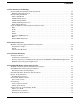
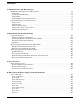

Table Of Contents
- About This Document
- 1 Introduction to Technology
- 2 Hardware Overview
- 3 Installation Planning
- 4 Installing HP Fabric Clustering System
- 5 Administration and Management
- HP-UX Host Administration and Management
- Switch Administration and Management
- CLI Overview
- Using the CLI
- Advanced Switch Setup
- Configuration, Image, and Log Files
- Configuration, Image, and Log File Overview
- File Management
- Listing Configuration, Image, and Log Files
- Viewing Configuration Files
- Viewing Log Files
- Saving Configuration Files
- Saving for System Reboot
- Saving the Backup Configuration
- Specifying the Configuration to Use at
- Saving and Copying Files
- Downloading Files to the System
- Deleting Configuration, Image, and Log Files
- Managing Log Files
- Understanding the Log Format
- Uploading Log Files
- Administering the System
- 6 Monitoring and Troubleshooting
- A Specifications
- B HP 12-Port 4X Fabric Copper Switch Commands
- Show Commands
- show arp ethernet
- show arp IB
- show authentication
- show backplane
- show boot-config
- show card
- show card-inventory
- show clock
- show config
- show fan
- show host
- show ib
- show ib sm configuration
- show ib sm multicast
- show ib sm neighbor
- show ib sm node subnet-prefix
- show ib sm partition
- show ib sm port
- show ib sm service
- show ib sm switch
- show ib-agent channel-adapter
- show ib-agent summary
- show ib-agent switch
- show ib-agent switch linear-frd-info
- show ib-agent switch all mcast-info lid
- show ib-agent switch all node-info
- show ib-agent switch all pkey-info
- show ib-agent switch port-info
- show ib-agent switch sl-vl-map
- show ib-agent switch switch-info
- show interface ib
- show interface ib sm
- show interface ib sm statistics
- show interface mgmt-ethernet
- show interface mgmt-ib
- show interface mgmt-serial
- show ip
- show location
- show logging
- show ntp
- show power-supply
- show running-status
- show sensor
- show snmp
- show system-services
- show terminal
- show trace
- show user
- show version
- IP Commands
- HP Fabric Clustering System Commands
- Administrative Commands
- action
- boot-config
- broadcast
- card
- clock
- configure
- copy
- delete
- dir
- disable
- enable
- exec
- exit
- ftp-server enable
- gateway
- help
- history
- hostname
- install
- interface
- interface mgmt-ethernet
- interface mgmt-ib
- ip
- location
- login
- logging
- logout
- more
- ntp
- ping
- radius-server
- reload
- shutdown
- snmp-server
- telnet
- terminal length
- terminal time-out
- trace
- type
- username
- who
- write
- Show Commands
- C How to Use Windows HyperTerminal
- Glossary

10
Appendix C How to Use Windows HyperTerminal provides information to allow you to remotely
administer and manage your HP Fabric Clustering System Copper Switch from a Windows
system.
Typographical Conventions
This document uses the following conventions.
audit (5) An HP-UX manpage. In this example, audit is the name and 5 is the section in the HP-UX
Reference. On the web and on the Instant Information CD, it may be a hot link to the
manpage itself. From the HP-UX command line, you can enter “man audit” or “man 5
audit” to view the manpage. See man (1).
Book Title The title of a book. On the web and on the Instant Information CD, it may be a hot link to
the book itself.
KeyCap The name of a keyboard key. Note that Return and Enter both refer to the same key.
Emphasis Text that is emphasized.
Bold Text that is strongly emphasized.
Bold The defined use of an important word or phrase.
ComputerOut Text displayed by the computer.
UserInput Commands and other text that you enter.
Command A command name or qualified command phrase.
Variable The name of a variable that you may replace in a command or function or information in a
display that represents several possible values.
[] The contents are optional in formats and command descriptions. If the contents are a list
separated by |, you must choose one of the items.
{} The contents are required in formats and command descriptions. If the contents are a list
separated by |, you must choose one of the items.
... The preceding element may be repeated an arbitrary number of times.
| Separates items in a list of choices.
Related Documents
Additional information about HP Fabric Clustering System for InfiniBand can be found within docs.hp.com in
the networking and communications collection, under Fabric Clustering System for InfiniBand.
HP Encourages Your Comments
HP encourages your comments concerning this document. We are truly committed to providing
documentation that meets your needs.
Please send comments to: netinfo_feedback@cup.hp.com
Please include document title, manufacturing part number, and any comment, error found, or suggestion for
improvement you have concerning this document. Also, please include what we did right so we can
incorporate it into other documents.