
AB291A Fabric Clustering System Support Guide (12-port Switch), April 2004

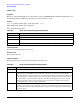
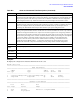
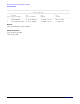
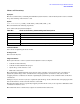
Table Of Contents
- About This Document
- 1 Introduction to Technology
- 2 Hardware Overview
- 3 Installation Planning
- 4 Installing HP Fabric Clustering System
- 5 Administration and Management
- HP-UX Host Administration and Management
- Switch Administration and Management
- CLI Overview
- Using the CLI
- Advanced Switch Setup
- Configuration, Image, and Log Files
- Configuration, Image, and Log File Overview
- File Management
- Listing Configuration, Image, and Log Files
- Viewing Configuration Files
- Viewing Log Files
- Saving Configuration Files
- Saving for System Reboot
- Saving the Backup Configuration
- Specifying the Configuration to Use at
- Saving and Copying Files
- Downloading Files to the System
- Deleting Configuration, Image, and Log Files
- Managing Log Files
- Understanding the Log Format
- Uploading Log Files
- Administering the System
- 6 Monitoring and Troubleshooting
- A Specifications
- B HP 12-Port 4X Fabric Copper Switch Commands
- Show Commands
- show arp ethernet
- show arp IB
- show authentication
- show backplane
- show boot-config
- show card
- show card-inventory
- show clock
- show config
- show fan
- show host
- show ib
- show ib sm configuration
- show ib sm multicast
- show ib sm neighbor
- show ib sm node subnet-prefix
- show ib sm partition
- show ib sm port
- show ib sm service
- show ib sm switch
- show ib-agent channel-adapter
- show ib-agent summary
- show ib-agent switch
- show ib-agent switch linear-frd-info
- show ib-agent switch all mcast-info lid
- show ib-agent switch all node-info
- show ib-agent switch all pkey-info
- show ib-agent switch port-info
- show ib-agent switch sl-vl-map
- show ib-agent switch switch-info
- show interface ib
- show interface ib sm
- show interface ib sm statistics
- show interface mgmt-ethernet
- show interface mgmt-ib
- show interface mgmt-serial
- show ip
- show location
- show logging
- show ntp
- show power-supply
- show running-status
- show sensor
- show snmp
- show system-services
- show terminal
- show trace
- show user
- show version
- IP Commands
- HP Fabric Clustering System Commands
- Administrative Commands
- action
- boot-config
- broadcast
- card
- clock
- configure
- copy
- delete
- dir
- disable
- enable
- exec
- exit
- ftp-server enable
- gateway
- help
- history
- hostname
- install
- interface
- interface mgmt-ethernet
- interface mgmt-ib
- ip
- location
- login
- logging
- logout
- more
- ntp
- ping
- radius-server
- reload
- shutdown
- snmp-server
- telnet
- terminal length
- terminal time-out
- trace
- type
- username
- who
- write
- Show Commands
- C How to Use Windows HyperTerminal
- Glossary
HP 12-Port 4X Fabric Copper Switch Commands
Show Commands
Appendix B
139
show card-inventory
Synopsis:
The show card-inventory command polls individual system interface cards for their system resources and the
image data residing on the interface card.
Syntax:
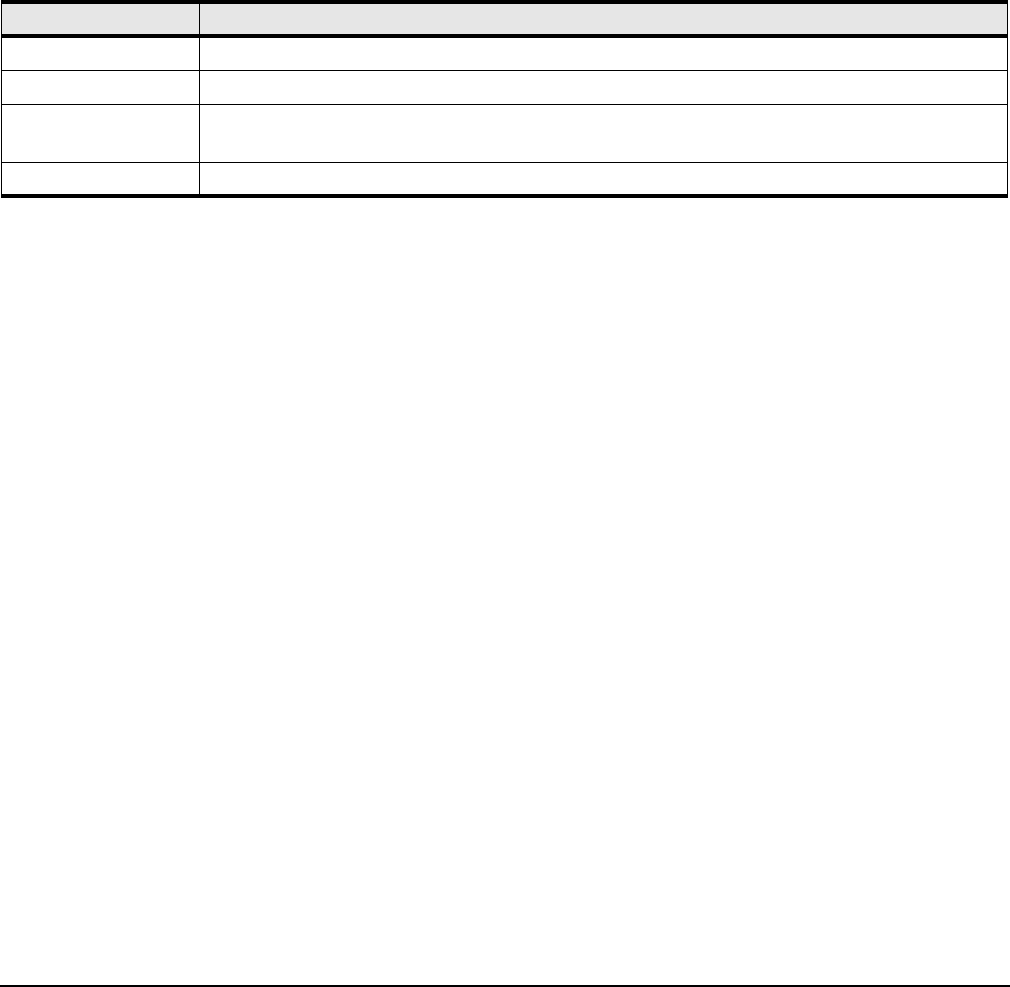
show card-inventory {card# | card#-card# | card#,card#,card#... | all}
This command has the following arguments:
show card-inventory Syntax Description
Command Modes:
User-execute and privileged-execute modes.
Privilege Level:
General read-only user.
Usage Guidelines:
Each system interface card is a system in itself. System resources comprise:
• available and used memory
• available and used flash memory space
• system-image on the interface card
• CPU name and version
The system-image should match the image that is on the controller card. Occasions may occur when you
update the system-image on the controller but it is not propagated to an interface card, such as when
swapping interface cards between chassis or updating the system-image on the controller when an interface
card is down.
Disk space may be an issue if you try to update the system-image on the controller but cannot propagate this
data to the interface card because the interface card is full.
The CPU description may be requested by support-personnel in the event you are experience difficulties with
a controller or interface card.
The fields in the show card-inventory output are described in the table below.
Table B-6 show card-inventory Command Syntax Descriptions
Syntax Description
card# Refers to an individual slot number.
card#-card# Refers to a range of slot numbers. Displayed in the form card#-card#
card#,card#,card#... Refers to a list of slot numbers in the form card#,card#,…Do not add spaces between elements in the
list.
all Displays all cards. The CLI defaults to “add” if you only enter the show card command.