
AB291A Fabric Clustering System Support Guide (12-port Switch), April 2004

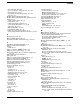
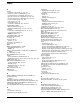
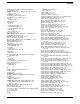
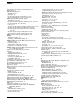
Table Of Contents
- About This Document
- 1 Introduction to Technology
- 2 Hardware Overview
- 3 Installation Planning
- 4 Installing HP Fabric Clustering System
- 5 Administration and Management
- HP-UX Host Administration and Management
- Switch Administration and Management
- CLI Overview
- Using the CLI
- Advanced Switch Setup
- Configuration, Image, and Log Files
- Configuration, Image, and Log File Overview
- File Management
- Listing Configuration, Image, and Log Files
- Viewing Configuration Files
- Viewing Log Files
- Saving Configuration Files
- Saving for System Reboot
- Saving the Backup Configuration
- Specifying the Configuration to Use at
- Saving and Copying Files
- Downloading Files to the System
- Deleting Configuration, Image, and Log Files
- Managing Log Files
- Understanding the Log Format
- Uploading Log Files
- Administering the System
- 6 Monitoring and Troubleshooting
- A Specifications
- B HP 12-Port 4X Fabric Copper Switch Commands
- Show Commands
- show arp ethernet
- show arp IB
- show authentication
- show backplane
- show boot-config
- show card
- show card-inventory
- show clock
- show config
- show fan
- show host
- show ib
- show ib sm configuration
- show ib sm multicast
- show ib sm neighbor
- show ib sm node subnet-prefix
- show ib sm partition
- show ib sm port
- show ib sm service
- show ib sm switch
- show ib-agent channel-adapter
- show ib-agent summary
- show ib-agent switch
- show ib-agent switch linear-frd-info
- show ib-agent switch all mcast-info lid
- show ib-agent switch all node-info
- show ib-agent switch all pkey-info
- show ib-agent switch port-info
- show ib-agent switch sl-vl-map
- show ib-agent switch switch-info
- show interface ib
- show interface ib sm
- show interface ib sm statistics
- show interface mgmt-ethernet
- show interface mgmt-ib
- show interface mgmt-serial
- show ip
- show location
- show logging
- show ntp
- show power-supply
- show running-status
- show sensor
- show snmp
- show system-services
- show terminal
- show trace
- show user
- show version
- IP Commands
- HP Fabric Clustering System Commands
- Administrative Commands
- action
- boot-config
- broadcast
- card
- clock
- configure
- copy
- delete
- dir
- disable
- enable
- exec
- exit
- ftp-server enable
- gateway
- help
- history
- hostname
- install
- interface
- interface mgmt-ethernet
- interface mgmt-ib
- ip
- location
- login
- logging
- logout
- more
- ntp
- ping
- radius-server
- reload
- shutdown
- snmp-server
- telnet
- terminal length
- terminal time-out
- trace
- type
- username
- who
- write
- Show Commands
- C How to Use Windows HyperTerminal
- Glossary

Index
304
High-Performance Computing
, 11
history command, 226, 235, 245, 264–265
Host Channel Adapters (HCAs) See HCAs
hostname command
, 68, 245, 265
hostname, customizing, 68
HP Fabric Clustering System
CLI configuration commands
, 235–243
gateway command guidelines, 261–263
hardware overview, 15–18
host adapter management, 40–58
overview, 11–14
specifications, 126
HP Fabric Clustering System See also installation
HP-MPI (HP Message Passing Interface) protocol
,
21, 22
HyperTerminal, Microsoft Windows, 292–296
I
ib sm subnet-prefix command
, 235–238
ib-agent channel-adapter command, 235, 238–239
ib-agent switch command, 235, 240–241
IBML (InfiniBand Management Link), definition,
297
ib-ro, 95
ib-rw, 95
ICMP (Internet Control-Message Protocol),
definition, 297
IEC (International Electrotechnical Commission),
definition
, 297
IETF (Internet Engineering Task Force), 21, 298
ifconfig command, 38, 55
image
download from TFTP server, 76
image files, 72
copying, 82, 83, 252–254
deleting, 78, 86, 86–87, 254–255
listing, 79, 255–257
maximum number, 78
overview, 72–73
upgrade process, 73–79
image upgrade
summary
, 73
image, system See system images
inactive image
, 73
in-band connection, 74
individual show commands
InfiniBand
advantages
, 12
capabilities, 12
what is it?, 12
InfiniBand Management Link (IBML), definition,
297
INFO event message, 87
INFORMATIVE logging class, 53
install
command, 77
install command, 245, 266
installation
adapters
, 27, 28
cable guides and cables, 27, 33–34
cluster planning, 20–26
image files for upgrading, 77
IPoIB, 38
prerequisites, 27
software, 27, 29
switches, 30–33
Installing
Power Supply
, 124
installing
rack mount
, 30
system image, 77
Installing and Removing HP Fabric Switch Cluster
Connection, 124
interface cards
card command
, 245, 250
CLI identifications for card/port pairs, 67
displaying status of, 128, 136–141, 194–201
port names, 235, 243
RDMA, 11
show card command, 128, 136–138
shutdown command, 235, 244
status and statistics details (itutil), 42–46
interface cards See also HCAs
interface command
, 246, 267–268
interface ib command, 235, 267
interface ib exit command, 235
interface ib gateway command, 235
interface ib help command, 235
interface ib history command, 235
interface ib link-trap command, 235, 242
interface ib name command, 235, 243
interface ib no command, 235
interface ib shutdown command, 235, 244
interface mgmt-ethernet command, 246, 267,
268–269
interface mgmt-ib command, 246, 267, 269–270
International Electrotechnical Commission (IEC),
definition, 297
Internet Control-Message Protocol (ICMP),
definition
, 297
Internet Engineering Task Force (IETF), 21, 298
IOC (I/O Controller), definition, 298
ioscan command, HCA troubleshooting, 107
IP (Internet Protocol) addresses
ARP function
, 227
connectivity testing, 69, 122
gateway command, 261–263
interface mgmt-ethernet command, 246, 267,
268–269
IP commands group, 226–234
show ip command, 206–207
IP (Internet Protocol) addresses See also IPoIB
standard
ip command
, 246, 270–271
ip domain-name command, 226, 229–230
IP filter product, 119
ip ip-over-ib-mtu command, 226, 230–231
ip name-server-one command, 226, 231–232
ip name-server-two command, 226, 232–233
ip route command, 226, 233–234
IPoIB, 14
IPoIB standard
default ip-over-ib-mtu
, 226, 228–229
definition, 21