
ACC Error Guide

ZMON Error Messages
ZMON Error Messages
Chapter 6 135
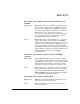
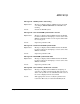
Message 141 - ZCOM system is not running
Explanation: Message is displayed when a ZMON request is issued
(for example, ZMON RESTART) when ZCOM is not
running.
Action: Restart the ZCOM system.
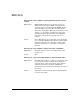
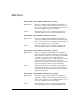
Message 142 - Can’t read ZCOM system header: <reason>
Explanation: Message is displayed when ZMON fetches the ZCOM
header record before attempting to execute some of the
ZMON commands. In this case the request failed with
the reason given.
Action: Report the problem to HP.
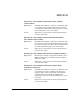
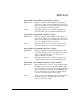
Message 143 - Partial read of ZCOM system header
Explanation: Message is displayed when ZMON fetches the ZCOM
header record before attempting to execute some of the
ZMON commands.
Action: Report the problem to HP.
Message 144 - Bad ZCOM system header label
Explanation: Message is displayed when ZMON fetches the ZCOM
header record before attempting to execute some of the
ZMON commands.
Action: Report the problem to HP.
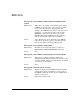
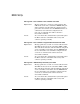
Message 201 - Card <number> disable error: <reason>
Explanation: Message is displayed when ZMON is attempting an
operation on a Mux card and it fails. The error may be
either a file system error or a ZCOM error. The cause of
the error is displayed in the reason field
Action: Take appropriate action to rectify the problem and
restart the Mux card, or restart the ZCOM system.