
ACC Error Guide

ZMON Error Messages
ZMON Error Messages
Chapter 6136
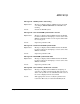
Message 202 - Card <number> enable error: <reason>
Explanation: Message is displayed when ZMON is attempting an
operation on a Mux card and it fails. The error may be
either a file system error or a ZCOM error. The cause of
the error is displayed in the reason field.
Action: Take appropriate action to rectify the problem and
restart the Mux card, or restart the ZCOM system.
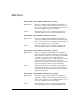
Message 203 - Card <number> reset error: <reason>
Explanation: Message is displayed when ZMON is attempting an
operation on a Mux card and it fails. The error may be
either a file system error or a ZCOM error. The cause of
the error is displayed in the reason field.
Action: Take appropriate action to rectify the problem and
restart the Mux card, or restart the ZCOM system.
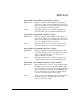
Message 204 - Card <number> restart error: <reason>
Explanation: Message is displayed when ZMON is attempting to
begin execution of the Mux card firmware and it fails.
The error may be either a file system error or a ZCOM
error. The cause of the error is explained in the
<reason> field. If the reason is “Bad response from mux
card”, then the problem may be due to internal
firmware memory allocation checks failing, which will
prevent the firmware from correctly initializing.
Action: Take appropriate action to rectify the problem and
restart the ZCOM system. In the case of the firmware
checks failing, check any internal memory allocations
specified for this card.
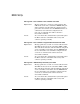
Message 205 - Card <number> activate error: <reason>
Explanation: Message is displayed when ZMON is attempting an
operation on a Mux card and it fails. The error may be
either a file system error or a ZCOM error. The cause of
the error is displayed in the reason field.
Action: Take appropriate action to rectify the problem and
restart the Mux card, or restart the ZCOM system.