
ACC Error Guide






PCAPTURE Log Messages
PCAPTURE Log Messages
Chapter 10 227
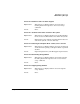
Message 200 - ZLUs are already active
Explanation: This message is displayed when the analyzer is already
running on specified ZLU.
Action: Correct the problem and retry if it is necessary.
Message 201 - Too many analyzer sessions are already active
Explanation: This message is displayed when there are already too
many active analyzer sessions in the system and there
is not enough room to allow an additional one.
Action: The maximum number of analyzer sessions has been
reached, must reduce the current active session before
a new session is allowed.
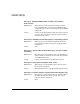
Message 202 - Cannot open <file>, <error>
Explanation: This message is displayed when pcapture fails to open
the indicated file.
Action: Try to correct the problem with the indicated reason for
error.
Message 203 - Cannot write header to <file>, <error>
Explanation: This message is displayed when pcapture fails to write
the header to the indicated file.
Action: Try to correct the problem with the indicated reason for
error. If this problem persists, report it to your HP
support representative.
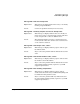
Message 204 - Error enabling analyzer ZLUs
Explanation: This message is displayed when pcapture fails to
enable and activate the analyzer ZLUs. Everything will
be shutdown if this problem occurs.
Action: Try to correct the problem with any indicated reason
for error. If this problem persists, report it to your HP
support representative.