
ACC Error Guide





SNA/ACC Error Log Messages
SNACC Error Messages
Chapter 13296
Action: This is a transient problem and should clear up shortly.
If the problem persists, contact your local HP support
personal for assistance.
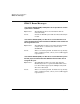
snacc 00191: ERROR (0xBF): ACC port id number is out of expected
range. Minimum possible id number: <#>. Maximum possible id
number: <#>.
Explanation: The port number range of the ACC 8 channel card is
from zero to 7. The application must specify a value
that is between zero and 7, inclusively.
Action: Run the xsnapadmin utility to determine if the
SNAplus has the proper port configuration. Fix the
port id and restart the SNA/ACC link.
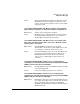
snacc 00192: ERROR (0xC0): ACC card id number is out of expected
range. Minimum possible id number: <#>. Maximum possible id
number: <#>.
Explanation: The SNA/ACC is hard coded to expect the card number
range to be between zero to 63, inclusively.
Action: Execute the xsnapadmin utility to make sure the
configured card number is not out of the required
range. Fix the card id and restart the SNA/ACC link.
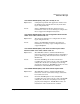
snacc 00193: ERROR (0xC1): ACC card type is out of expected range.
Card type value: <#>. Minimum allowed type value: <#>. Maximum
allowed type value: <#>.
Explanation: The SNA/ACC software expects the card type passed
from the SNAplus subsystem to be either zero or 1.
Action: Contact your HP representative for assistance.
snacc 00194: ERROR (0xC2): ACC port is in an unusable state. Card
status from ACC interface table: <hex value>. Bit mask used to
evaluate status: <hex value>.
Explanation: The port is either disabled or undefined. This can be
caused by a temporary shutdown and restart of the
ZCOM subsystem.
Action: If you have restarted the ZCOM subsystem and the
condition persists, contact your HP representative.