
10GigEthr-02 (iexgbe) B.11.31.1004 Ethernet Driver Release Notes, Edition 2 (June 2010)


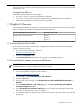
Table Of Contents
- 10GigEthr-02 (iexgbe) B.11.31.1004 Ethernet Driver Release Notes, Edition 2
- 1 10GigEthr-02 Overview
- 2 New and changed features in this release
- 3 Problems fixed in this version
- 4 Known problems and limitations
- 5 Compatibility and installation requirements
- 6 Related information
- 7 Software availability in native languages

This document provides information about the April 2010 web release of the 10GigEthr-02 bundle
for HP-UX 11i v3.
Changes from Edition 1
This edition includes the following changes:
• In Section 1, the list of supported hardware is updated.
• In Section 5.2, the System Component Minimum Version Requirements are updated.
• Links to documentation on the HP website are updated.
1 10GigEthr-02 Overview
The 10GigEthr-02 bundle contains the iexgbe driver, which supports the following 10 Gigabit
Ethernet adapters and LAN On Motherboard (LOM) hardware:
HP Integrity Server LOMPCIe 10 Gigabit Ethernet Mezzanine Cards
BL860c i2
BL870c i2
BL890c i2
NC532m (part number 467799-B21)
1.1 Downloading the driver bundle
To download version B.11.31.1004 of the 10GigEthr-02 bundle from the HP Software Depot
website, follow these steps:
1. Go to the HP Software Depot website at:
http://www.software.hp.com/
2. Search for 10GigEthr-02.
3. Click Receive for free, then follow the prompts to download the driver.
1.2 Downloading the adapter firmware and EFI driver
IMPORTANT: To ensure full functionality, you must install the latest adapter firmware and
Extensible Firmware Interface (EFI) driver for the NC532m.
To download the adapter firmware and EFI driver, follow these steps:
1. Go to the HP Business Support Center website:
http://www.hp.com/go/bizsupport
2. Under Tasks, click Download drivers and software.
3. Search for NC532m.
4. In the product search results, click HP NC532m Dual Port 10GbE Multifunction BL-c
Adapter.
5. On the Download drivers and software page, click Cross operating system (BIOS,
Firmware, Diagnostics, etc.).
6. In the EFI (extensible firmware interface) section, click the Download link for EFI and
Firmware for HP Integrity servers (or similar).
7. To install the EFI driver and firmware, follow the installation procedure that is provided in
the zip file.
1 10GigEthr-02 Overview 3