
10GigEthr-02 (iexgbe) B.11.31.1301 Ethernet Driver Release Notes (March 2013 Update, Edition 4)
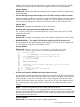
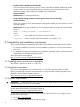

lan3 current values:
New Transmit Flow Control = Off
NOTE: The warning message incorrectly displays the Tx flow control state as Off when it
should be On. This is a known issue (see “Known problems and limitations” (page 8)).
• Attempting to turn on Rx flow control for a Flex-10 interface on which the MTU size is greater
than 1500 (enabling Jumbo Frames) brings up the warning message shown in the following
example. The Rx flow control cannot be turned on in this instance, so the specified value (on)
is invalid; Rx flow control remains turned off.
server2#nwmgr -s -A rx_fctrl=on -c lan3
WARNING: For flex10 interface, the Rx flow control is always on
For non-flex10 interface, if Jumbo MTU is set, the rx flow control cannot be turned on
lan3 current values:
New Receive Flow Control = ERROR: Invalid value
3 Problems fixed in this release
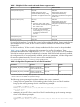
Table 3 HP-UX 11i v3 January 2013 fixes — 10GigEthr-02 B.11.31.1301
DescriptionSR number
Link status is incorrectly reported for LAN ports connected to a switch or pass-through
When LAN ports are connected to a switch or pass-through, the iexgbe driver might fail to
detect a cable connect or disconnect. As a result, the LAN interface link status on the system
QXCR1001233679
side is incorrectly displayed by nwmgr and lanadmin. For example, after a cable disconnect,
the status is incorrectly reported as UP instead of DOWN.
Port unavailable, queues fail to initialize on Superdome
While doing stress testing with heavy traffic along with periodic port resets, olrad, and
ifconfig plumb/unplumb, the port might be unable to initialize the maximum number of
QXCR1001222146
queues supported. In such cases for drivers with versions earlier than AR1301, the port
transitions to the DEAD state. To make the port usable, a system reboot is required. The issue
is rarely reproducible; reproducing the issue requires the above-mentioned stress testing
sustained over a long duration.
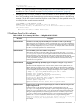
HP Smart Update Manager (HP SUM) support for adapters running the iexgbe driver is
incomplete
QXCR1001238994
HP SUM is the SPP deployment tool. It can be used to perform online updates of the I/O
adapter firmware on Integrity server systems running HP-UX. HP SUM has been updated to
allow online update of the firmware on supported I/O adapters. The nwmgr firmware update
command displays appropriate advisory messages describing the online update. For example:
$ nwmgr -s --hp -A fw_dwnld=firmware_file.frm -c lan12
Firmware file: firmware_file.frm
Firmware file loaded and validated successfully
Proceed with update (Y if so)? Y
Please do not interrupt until complete (approximately 2-3 minutes)
Downloading firmware image to flash ...
Firmware update completed
Updated firmware will be active after a system reboot
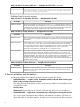
System boot time can be impacted significantly by the number of attributes being set in the
iexgbe configuration file
System boot time can be impacted by the number of parameters being set in the
hpiexgbeconf configuration file, especially in system configurations supporting a large
QXCR1001149267
number of iexgbe LAN devices. The iexgbe driver has been enhanced to streamline the
setting of multiple parameters, thus reducing system boot time. In addition, options set by
lanadmin in startup scripts can affect boot time. A new command line option has been
added to the lanadmin command to reduce boot time, using the following syntax:
lanadmin -X boot_parameter [{drv_pr_on | drv_pr_off}] [mtu=size] [{recv_cko_on | recv_cko_off}]
[{send_cko_on | send_cko_off}] [drv_mq=queue-number] [vmtu={0 | 32160}] ppa
For example:
3 Problems fixed in this release 7