
10GigEthr-02 (iexgbe) B.11.31.1303 Ethernet Driver Release Notes (Edition 2)


• Incorrect warning message after attempt to turn off Tx flow control for a Flex-10 interface
When an attempt is made to turn off Tx flow control for a Flex-10 interface, a warning message
indicates correctly that Tx flow control always stays on for Flex-10 interfaces; however, the
warning message displays the current value of Tx flow control as “Off” instead of “On”.
Severity: Minor
Workaround: Disregard the displayed state of Tx flow control.
• QXCR1001265320 — The iexgbe driver might cause TCP/IP startup to fail.
During system boot, the system might fail when bringing up TCP/IP. An error message such
as "route add net : Network is Unreachable" is seen.
Severity: Medium
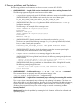
Workaround: Include a waitfor $(driverState) line in the init script
/sbin/init.d/hpiexgbe, as shown in the following example (line 407):
400 #echo "$boot_cmdstr"
401 echo "${HPLANADMIN} -X boot_param $boot_cmdstr $PPA"
402
403 emsg=`${HPLANADMIN} -X boot_param $boot_cmdstr $PPA 2>&1`
404 if [[ $? -ne 0 ]]; then
405 errmsg; rval=${ERROR}
406 fi
407 waitfor $(driverState)
408
409
410 # SAM script would have attempted a MTU change earlier; this is 2nd try
411 #configure_mtu
412 #if (( $mturet != 0 )); then
413 # errmsg # emsg was set by configure_mtu
414 # rval=$ERROR
415 # fi
• Rx flow control must be disabled when Jumbo Frames are used.
Due to limitations of the hardware supported by the iexgbe driver, Rx flow control must be
disabled when Jumbo Frames (MTU value greater than 1500) are enabled. This limitation is
enforced by the iexgbe driver. Therefore, if the current configuration has Rx flow control
enabled while Jumbo Frames are used, the iexgbe driver will not honor changes made to
flow control settings. Setting Jumbo Frames will override and disable the Rx flow control
settings.
NOTE: For the Flex-10 interface, Rx flow control is always set to OFF.
For the non-Flex-10 interface, you can change the flow control and MTU size as needed.
However, when Jumbo Frames are enabled, if Rx flow control is already set to ON, the driver
automatically resets RX flow control to OFF. Rx flow control and Jumbo Frames cannot both
be in operation at the same time.
Severity: Medium
Workaround: If you want Rx flow control, disable Jumbo Frames.
• Rx flow control is disabled in Flex-10 mode
In Flex-10 mode (Virtual Connect), Rx Flow control is disabled by default. Attempts to enable
Rx flow control are not honored by the driver, because the driver and hardware cannot
determine whether Jumbo Frames are disabled across all FlexNICs.
Severity: Medium
Workaround: No workaround necessary.
• Using ncweb to change number of receive queues causes an error message.
Severity: Medium
4 Known problems and limitations 11