
Virtual Connect and HP A-Series switches (A5820) IRF Integration Guide

11
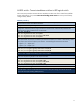
A5820 switch: Convert standalone switches to IRF logical switch
This conversion procedure assumes that two standalone switches start from a clean factory-default
startup configuration. If not, enter reset saved-config (write erase on Cisco) to reset startup-
config to factory default.
A5820 (switch 1)
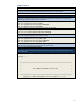
1. Change switch 1 IRF priority to 10. The default value is 1, and the higher priority is selected to be the IRF
master and active switch when MAD is detected.
[H3C]irf member 1 priority 10
2. Shut down the IRF physical ports to prepare them to be included under the IRF logical port “irf-port 1/2”
configuration. Otherwise, when trying to include these interfaces later under IRF-Port, Comware will
indicate that the physical interfaces are not shut down.
[H3C]int ten1/0/23
[H3C-Ten-GigabitEthernet1/0/23]shut
[H3C-Ten-GigabitEthernet1/0/23]int ten1/0/24
[H3C-Ten-GigabitEthernet1/0/24]shut
3. Create Logical port “irf-port 1/2” and include ten1/0/23 and ten1/0/24.
Note: If you create “irf-port 1/2” on switch 1, you must use “irf-port 2/1” on switch 2. Alternatively, create
local “irf-port 1/1” and use “irf-port 2/2” on switch 2. The following two scenarios do not work:
“irf-port 1/1”--- “irf-port 2/1”
“irf-port 1/2”---“irf-port 2/2”
[H3C]irf-port 1/2
[H3C-irf-port1/2]port group interface ten1/0/23
[H3C-irf-port1/2]port group interface ten1/0/24
4. While ten1/0/23 and ten1/0/24 are shut down, go to Switch 2 (page 12) to configure it to peer with
Switch 1. Then, complete the remaining steps in this procedure.
5. Unshut ten1/0/23 and ten1/0/24 to bring up the irf-link. After the links and interfaces appear, proceed
to the next step. Nothing happens until step 6 is executed.
[H3C]int ten1/0/23
[H3C-Ten-GigabitEthernet1/0/23]undo shut
[H3C-Ten-GigabitEthernet1/0/23]int ten1/0/24
[H3C-Ten-GigabitEthernet1/0/24]undo shut
6. Activate the irf-port configuration to start IRF peering between the two switches.
[H3C]irf-port-configuration active
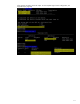
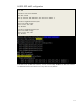
After several seconds, switch 2 reloads. When switch 2 comes back on, two switches are merged into one
virtual IRF switch. You can use the three IRF commands to verify the running status for this virtual IRF
switch. See the output following A5800 (switch 2).