
HP Enterprise MFP, HP Managed MFP - Copying or Digitally Scanning Highlighted Images (white paper)

5
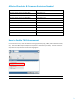
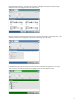
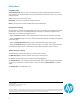
Image Adjustment Settings. Use the sliders to perform a Background Cleanup, adjust the image
Darkness as well as changing the Sharpness and Contrast.
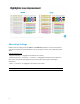
Optimize Text/Picture setting under the Copy menu will cause the image to render differently. Text
will give you best results. Photograph may also help depending upon the image.
Color/Black settings under the Copy or Send to Email menu will affect the page to scan or copy in
either a color or monochrome mode. (some highlighters will not auto detect as color)