
HP LaserJet Enterprise Flow MFP M830 - User Guide



Clear jams in the booklet maker accessory
●
Clear jams in the front left door of the booklet maker
●
Clear connection jams
●
Clear Staple 1 jams
●
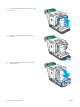
Clear staple jams in the booklet maker
Clear jams in the front left door of the booklet maker
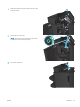
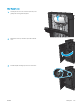
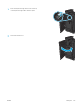
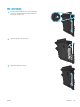
1. Open the front left door.
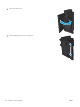
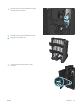
2. Move the lower jam-release lever to the right, and
then remove any paper.
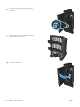
3. Move the lower jam-release handle to the left.
146 Chapter 9 Solve problems ENWW