
HP ElitePad 1000 G2 Rugged Tablet User Guide


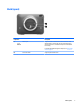

Table Of Contents
- Welcome
- Getting to know your tablet
- Connecting to a network
- Navigating using touch gestures
- Detailed functions
- Power management
- Shutting down the tablet
- Setting power options
- External cards and devices
- Security
- Maintenance
- Backup and recovery (Windows 8)
- Backup and recovery (Windows 10)
- Computer Setup (BIOS), TPM, and HP Sure Start
- HP PC Hardware Diagnostics (UEFI)
- Support
- Specifications
- Accessibility
- Traveling with the tablet
- Electrostatic discharge
- Troubleshooting
- Index

Back (open)
Component Description
(1) USB 3.0 port Supports a USB user authentication device that can be used
while the I/O door is closed. HP does not recommend using a
wireless transceiver or a USB device that prevents the I/O door
from closing.
For details about dierent types of USB ports, see Using a USB
device on page 35.
(2) Smart card reader Supports optional smart cards.
Back (open) 7