
HP 3-bin Stapler/Stacker Accessory - (multiple language) Install Guide



89
29
30
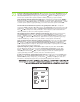
Konfiguriranje opcija dodatka
za Mac
Na izborniku Apple pritisnite System Preferences (Preference sustava).
U okviru System Preferences (Preference sustava) pritisnite Print and Fax (Ispis i faksiranje).
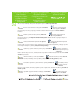
Konfigurace příslušenství pro
systém Mac
V nabídce Apple vyberte položku System Preferences (Předvolby systému).
V poli System Preferences (Předvolby systému) klepněte na volbu
Print and Fax (Tisk a fax).
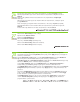
Tartozék opciók konfigurálása
Mac rendszerek esetében
Az Apple menüben kattintson a System Preferences (Rendszerbeállítás) lehetőségre.
A System Preferences (Rendszerbeállítás) ablakban kattintson a Print and Fax (Nyomtatás és faxolás) elemre.
Konfiguracja opcji
urządzenia dodatkowego dla
komputerów Macintosh
W menu Apple kliknij pozycję System Preferences (Preferencje systemowe).
W oknie System preferences (Preferencje systemowe) kliknij pozycję Print and Fax (Drukarki i faksy).
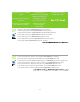
Configurarea opţiunilor
accesoriului pentru Mac
În meniul Apple, faceţi clic pe System Preferences (Preferinţe sistem).
În caseta System Preferences (Preferinţe sistem), faceţi clic pe Print and Fax (Imprimare şi fax).
Možnosti konfigurácie
príslušenstva pre
počítače Mac
V ponuke Apple kliknite na položku System Preferences (Nastavenia systému).
V okne System Preferences (Nastavenia systému) kliknite na položku Print and Fax (Tlač a fax).
V meniju Apple kliknite System Preferences (Sistemske nastavitve).
V oknu System Preferences (Sistemske nastavitve) kliknite Print and Fax (Tiskalniki in faksi).
Konfiguriranje možnosti
pripomočka za Mac