
HP Color LaserJet CP6015 Series - Job Aid - Create and Print Stored Jobs (PCL 6 Driver)

HP Color LaserJet CP6015 Series Create and print stored jobs (PCL 6 Driver)
©2008 Copyright Hewlett-Packard
Development Company, L.P.
2
www.hp.com
How do I Steps to perform
Permanently store a private job
NOTE: A PIN is required to print a
private job.
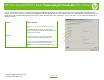
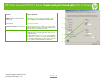
In the Job Storage Mode area (1), click Stored Job (2).
In the Make Job Private area (3), click PIN to print.
Enter a 4-digit personal identification number (PIN).
Receive notification when a stored
job is printed
In the Job Notification Options area (4), click Display
Job ID when printing.
Set the user name for a stored job In the User Name area (5), click User name to use the
Windows default user name. To provide a different user
name, click Custom and type the name.
Specify a name for the stored job In the Job Name area (6), click Automatic to use the
default job name. To specify a job name, click Custom
and type the name.
Select an option from the If job name exists dropdown
list. Select Use Job Name + (1-99) to add a number to
the end of the existing name, or select Replace Existing
File to overwrite a job that already has that name.
1
2
3
4
5
6