
HP Embedded Digital Sending - PC Fax Send User Manual

ENWW Installing the MFP Send Fax driver 7
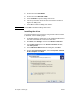
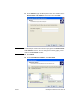
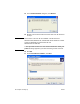
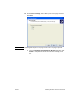
Note Select Local printer attached to this computer to install the MFP
Send Fax driver on a network printer. The printer name is HP MFP
Send Fax when the driver is installed on a local printer.
If you select A network printer, or a printer attached to another
computer, then the IP address of the computer is required. Some
features, such as fax preview, are not available if the driver is installed
by using the network printer installation (Point and Print).
The MFP Send Fax driver cannot be installed on a a printer that is
connected to the computer by a serial or parallel port. It must be on a
network.
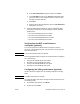
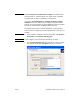
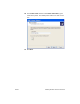
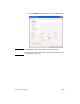
6 If your computer is already connected to the MFP, under Select a
Printer Port, select Use the following port.
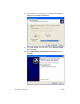
Note If your computer is not connected to the MFP, go to step 8.
7 In the Use the following port drop-down menu, select the name
or IP address of the MFP. Click Next and then go to step 13.