
HP Embedded Digital Sending - PC Fax Send User Manual

ENWW Sending a fax by using the phone book 25
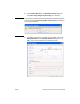
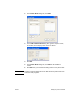
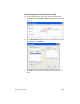
8 Under Include With Fax in the HP MFP Send Fax dialog box,
clear Cover Page (Single recipient only) if it is selected.
Note A cover page cannot be used when sending faxes to multiple recipients.
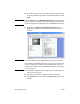
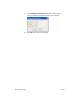
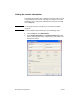
If you do not clear Cover Page (Single recipient only), the following
error message appears:
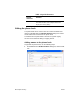
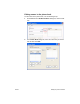
9 If the billing code feature is enabled, type the billing code under
Billing Information in the HP MFP Send Fax dialog box. The
billing code can be changed for any individual fax job.