
HP Embedded Digital Sending - PC Fax Send User Manual

ENWW Canceling a fax job 27
Canceling a fax job
Three methods are available to cancel a fax job:
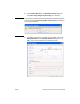
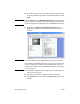
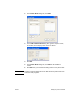
1 Click Cancel Fax in the fax preview window.
2 On the MFP control panel, press the fax icon and then press the
red Stop/Cancel button.
Note The status message Processing job must appear on the MFP when the
red Stop/Cancel button is pressed to cancel the fax.
3 On the MFP control panel, cancel faxes by using the fax menus.
a On the MFP control panel, press Menu.
b Scroll to and touch FAX.
c Scroll to and touch CANCEL CURRENT TRANSMISSION.
Note Scroll to and touch CANCEL ALL PENDING TRANSMISSIONS to
cancel all of the pending fax transmissions.
d Touch EXIT.
Inserting special characters in the fax number
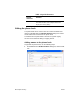
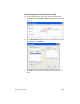
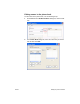
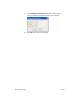
The Fax Number text field accepts special characters in addition to
the numbers 0 through 9.
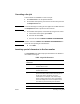
Table 1: Special characters
Special
Character
Function
- Use a hyphen in the fax number to make the
number easier to read.
( ) Use parenthesis in the fax number to make the
number easier to read.
[ ] Use an opening and closing bracket to hide a
portion of the fax number so that it does not print on
the fax cover sheet, call reports, or e-mail
confirmations. For example, a fax number might
include a calling-card access code. Type brackets
around the calling-card access code portion of the
fax number to prevent showing this information.
* The asterisk is transmitted as a touch-tone.
# The number sign is transmitted as a touch-tone.