
HP Embedded Digital Sending - PC Fax Send User Manual

ENWW Editing the phone book 29
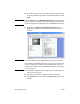
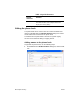
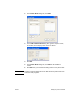
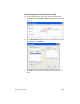
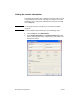
2 In the Phone Book dialog box, click Add.
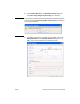
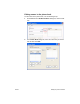
3 In the Add to Phone Book dialog box, type the recipient name,
fax number, and company name in the text boxes.
4 Click OK.
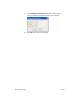
5 In the Phone Book dialog box, click Add to add additional
names.
6 Click OK when you are finished adding names to the phone book.
Note Contacts cannot be imported into the MFP Send Fax phone book from
external e-mail programs.