
HP Embedded Digital Sending - PC Fax Send User Manual

30 Chapter 2 Faxing ENWW
Removing names from the phone book
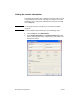
To remove names from the phone book, use the following steps:
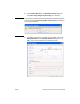
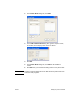
1 Under Fax To in the HP MFP Send Fax dialog box, click the book
icon.
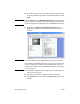
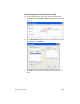
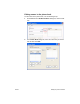
2 In the Phone Book dialog box, select the name that you want to
delete and then click Delete.
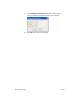
3 Click OK when you are done deleting names from the phone
book.